DREADMOOR System Requirements for PC
DREADMOOR needs a GTX 1060 6GB and 8GB RAM at minimum, with 60GB storage and DirectX 12. Full minimum and recommended PC specs.
Quick answer: DREADMOOR requires Windows 10 64-bit, DirectX 12, 8GB RAM, a GTX 1060 6GB or RX 580 8GB, and 60GB of storage. The recommended tier is an i5-12400F or Ryzen 5 5600 with an RTX 4060 or RX 7600 and 16GB RAM.
These are the official Steam requirements for the 9 November 2026 Early Access release. The demo runs on the same engine and is a reasonable performance test, but the full game's 60GB install is larger.
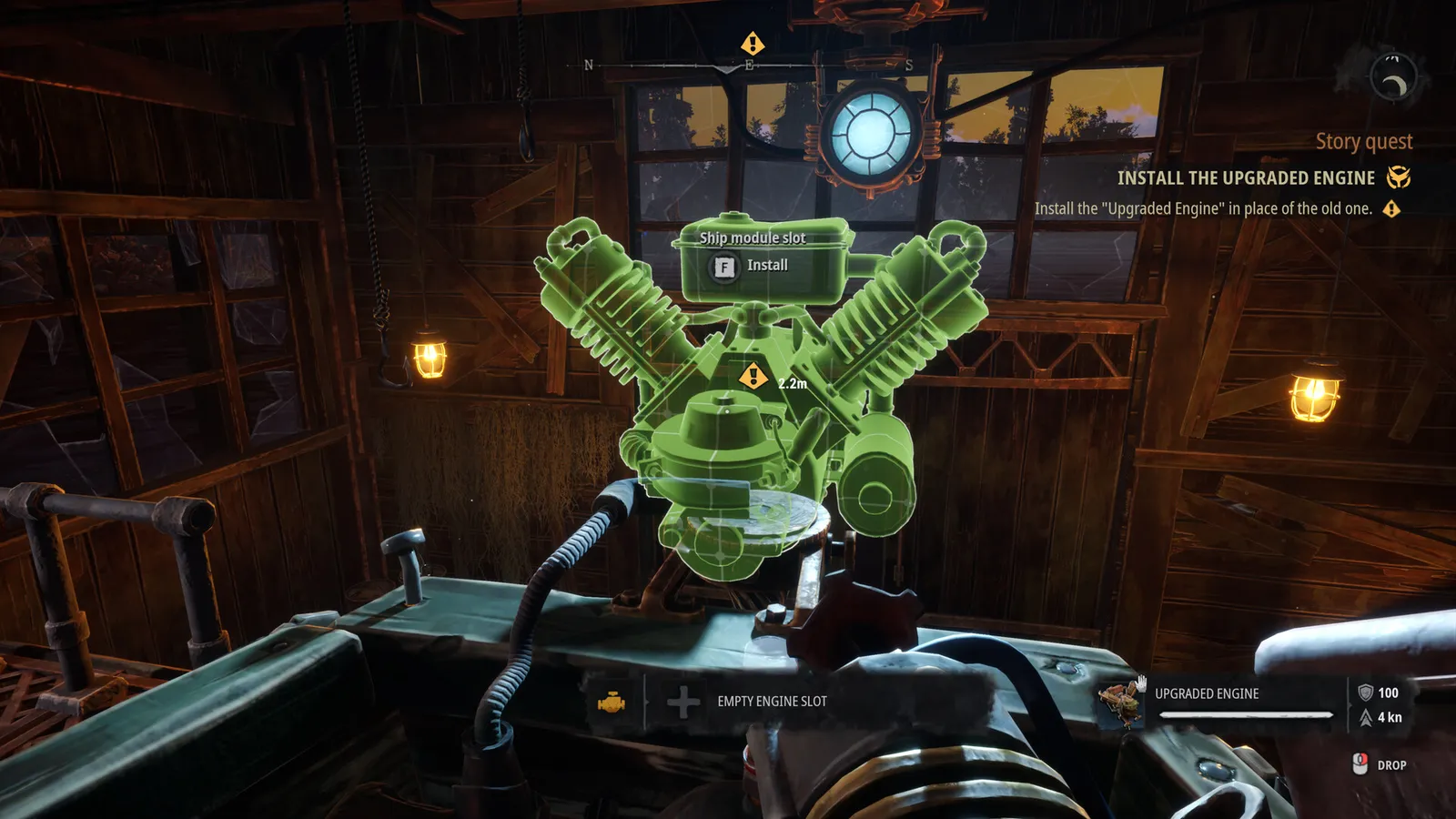
DREADMOOR is a first-person game from Dream Dock, built around water, fog and dense wetland vegetation. Those are expensive effects, but the requirements are not extreme. A six-year-old mid-range GPU is still the floor. The bigger practical question is storage and shader compilation, not raw GPU power.
"DREADMOOR is an atmospheric first-person fishing adventure game set in a flooded world." — DREADMOOR on Steam
Minimum requirements
| Component | Minimum |
|---|---|
| OS | Windows 10 64-bit |
| Processor | Intel Core i5-8400 or AMD Ryzen 5 2600 |
| Memory | 8GB RAM |
| Graphics | NVIDIA GTX 1060 6GB or AMD RX 580 8GB |
| DirectX | Version 12 |
| Storage | 60GB available space |
The GTX 1060 6GB is the important line. The 3GB version is below the listed VRAM and will struggle with the game's textures and fog, even though the card name looks similar. If you have a 1060 3GB, expect to lower settings and resolution.
8GB of system RAM is the minimum, not a comfortable target. Windows plus a browser plus the game can exceed 8GB, and the resulting stutter looks like a GPU problem when it is not. 16GB is the safer floor in practice.
Recommended requirements
| Component | Recommended |
|---|---|
| OS | Windows 10/11 64-bit |
| Processor | Intel Core i5-12400F or AMD Ryzen 5 5600 |
| Memory | 16GB RAM |
| Graphics | NVIDIA RTX 4060 or AMD RX 7600 |
| DirectX | Version 12 |
| Storage | 60GB available space |
The recommended tier is a modern 1080p GPU, not a 1440p or 4K card. Dream Dock has not published target resolutions or frame rates, so treat "recommended" as the configuration the studio expects to run well, not a guarantee of 60fps at maximum settings.
What the CPU and GPU actually do
The CPU handles fish behaviour, boat physics, settlement simulation and the inventory. The GPU handles water, volumetric fog, vegetation and the game's heavy colour grading. In the demo, frame drops were more common when approaching a settlement than when fighting a fish, which points to CPU and streaming load rather than raw shading.
That makes a modern six-core CPU more useful than an expensive GPU upgrade. The i5-12400F and Ryzen 5 5600 are both six-core parts, and both are a meaningful step up from the four-core i5-8400. If you are upgrading one component on an older machine, check the CPU first.
Storage and load times
The full game needs 60GB. Steam does not list an SSD requirement, but the game streams settlement assets and water shaders constantly. An SSD cuts the first-load shader compilation and the stutter when crossing into a new area. A mechanical drive will work, but it is the first thing to fix if the game hitches.
Keep some headroom beyond 60GB for saves, shader caches and patches. A 60GB drive with 5GB free is not enough.
DirectX 12
The Steam page lists DirectX 12. There is no DirectX 11 fallback advertised. On Windows 10, make sure your GPU driver supports DX12 and is current. Old drivers are the most common cause of a black screen or a crash on first launch.
If the game refuses to start, update the GPU driver, verify the Steam files, and delete the shader cache. The demo's first launch compiles shaders for several minutes; a slow compile is not a crash.
Demo performance vs full game
The demo is a smaller download and a smaller region, but it uses the same water, fog and lighting systems. It is a good test of whether your machine can hold a stable frame rate around settlements. It is a poor test of storage, because the full 60GB install includes assets the demo never loads.
For Steam Deck, the demo is playable but the game is not Verified. The Steam Deck page covers settings and expectations. For controls and keybinds, see the controls page.
Install the free demo and sail into the trading post. If that area holds a stable frame rate on your machine, the full game's opening region should behave similarly.
Can you run DREADMOOR on a laptop?
It depends on the GPU, not the CPU name. A laptop RTX 4060 is close to the desktop card; a laptop GTX 1650 is below the minimum. Integrated graphics are not supported in practice, even if the game launches. Check the wattage and cooling of the laptop as well: a thin chassis will throttle the GPU long before the settings menu matters.
FAQ
How much storage does DREADMOOR need? 60GB, plus room for saves, shaders and patches.
Does DREADMOOR require an SSD? Steam does not list one, but an SSD is strongly recommended for load times and streaming.
Is 8GB RAM enough? It is the official minimum. 16GB is the practical target for smooth play.
What GPU do I need for 1080p? The recommended RTX 4060 or RX 7600 is the intended 1080p tier. The GTX 1060 6GB is the minimum.
Does DREADMOOR support DirectX 11? No. The store lists DirectX 12.
More DREADMOOR Guides
How DREADMOOR crafting works: the workbench, blueprint research, scraps of knowledge, material sources and the recipes worth making first.
The DREADMOOR demo is a free 3–4 hour standalone slice with its own questline, dry dock and island region. What it includes and how to install it.
A complete DREADMOOR demo walkthrough: the radio, five Snapper, John's still, the dry dock, the engine and the Throat gate puzzle, step by step.
How to unlock the DREADMOOR dry dock, repair the trawler step by step, and install your first engine and hull upgrades without wasting materials.
DREADMOOR Early Access starts 9 November 2026 with the full core loop and one major region. What is in the build, how long it will last and whether to buy.
Every fish confirmed in the DREADMOOR demo, with bait, habitat and use: Snapper, Softgazer, Shovel Nose, Sharp Fin, Sturdy Crawler and Harpooner.
DREADMOOR fishing explained: cast into splash zones, hold tension in the green, pull against the fish and use a slow lure retrieve for Harpooners.
Every DREADMOOR location confirmed in the demo, from the Slough and Angler's Island to the Throat, plus how the map and fast travel work.